This issue is likely related to a known calibration problem affecting a small number of devices from a specific production batch. Please follow the steps below to resolve it.
Step 1: Skip the Tutorial (If You’re Stuck)
If your device is currently stuck in the tutorial:
- Open the app and tap the “Please Wait” text five times to skip the tutorial completely.
Step 2: Collect Device Information
- In the app, go to Settings → More Device Info.
- Take a screenshot of this page.
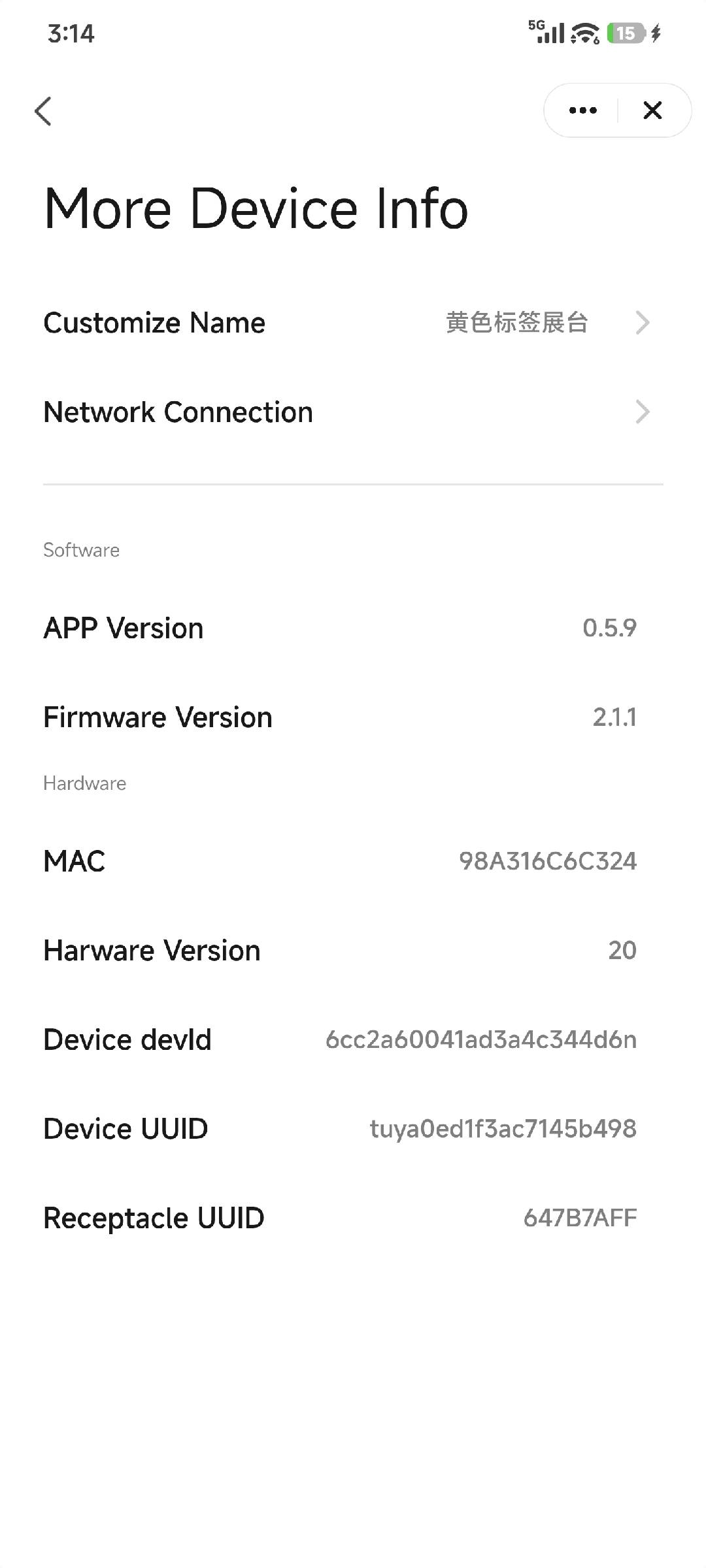
Step 3: Contact Support
- Send the screenshot to us.
- Our team will add your device to a special firmware update list.
Step 4: Update Firmware
- Once your device has been added, update it to the latest firmware version.
Step 5: Calibrate the Water Level Sensor
After the update is complete:
- Go to Settings → Other Settings.
- Select Calibrate Water Level.
- Follow the on-screen instructions in the app.
After calibration, the water level readings should return to normal.
If the issue persists after completing these steps, please let us know and we’ll be happy to assist further.