Ivy can rest during the day or at night, helping it blend naturally into your daily routine.
How Ivy Behaves During Sleep
- During a midday nap, Ivy enters a calm, resting state.
- During night sleep, Ivy adjusts its backlight much more aggressively to suit a dark, no-light environment and avoid disturbing you.
How to Enable Sleep Periods
- Make sure Ivy is updated to the latest firmware version.
- Go to Settings → Behavior.
-
Set your preferred Midday Nap period and Night Sleep period.
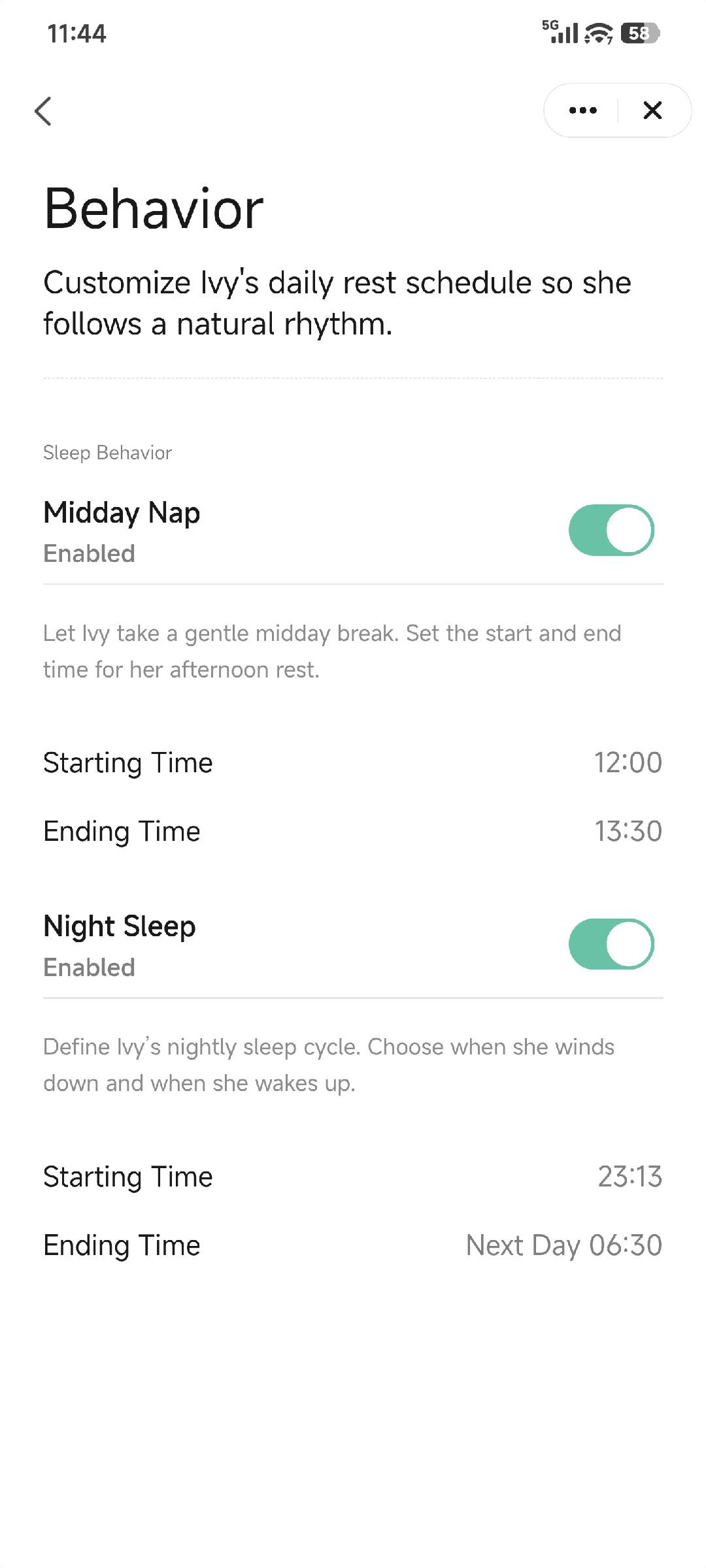
Once configured, Ivy will automatically follow the sleep schedule you set and adjust its behavior accordingly.